01
A face in a moving clip
Automatic face tracking follows detected faces across frames. Review the entire video: tracking can miss a face or lose coverage. Manual boxes stay fixed during their selected time range.
 Cloakmark
LOCAL VIDEO, PHOTO & PDF REDACTION
Track faces in video and cover private details in photos or PDFs, on your iPhone or iPad. Review the result before sharing, without uploading the original for processing.
Free each day: 3 photo/video exports combined, plus 3 PDF exports. Free video source files: up to 300 MB.
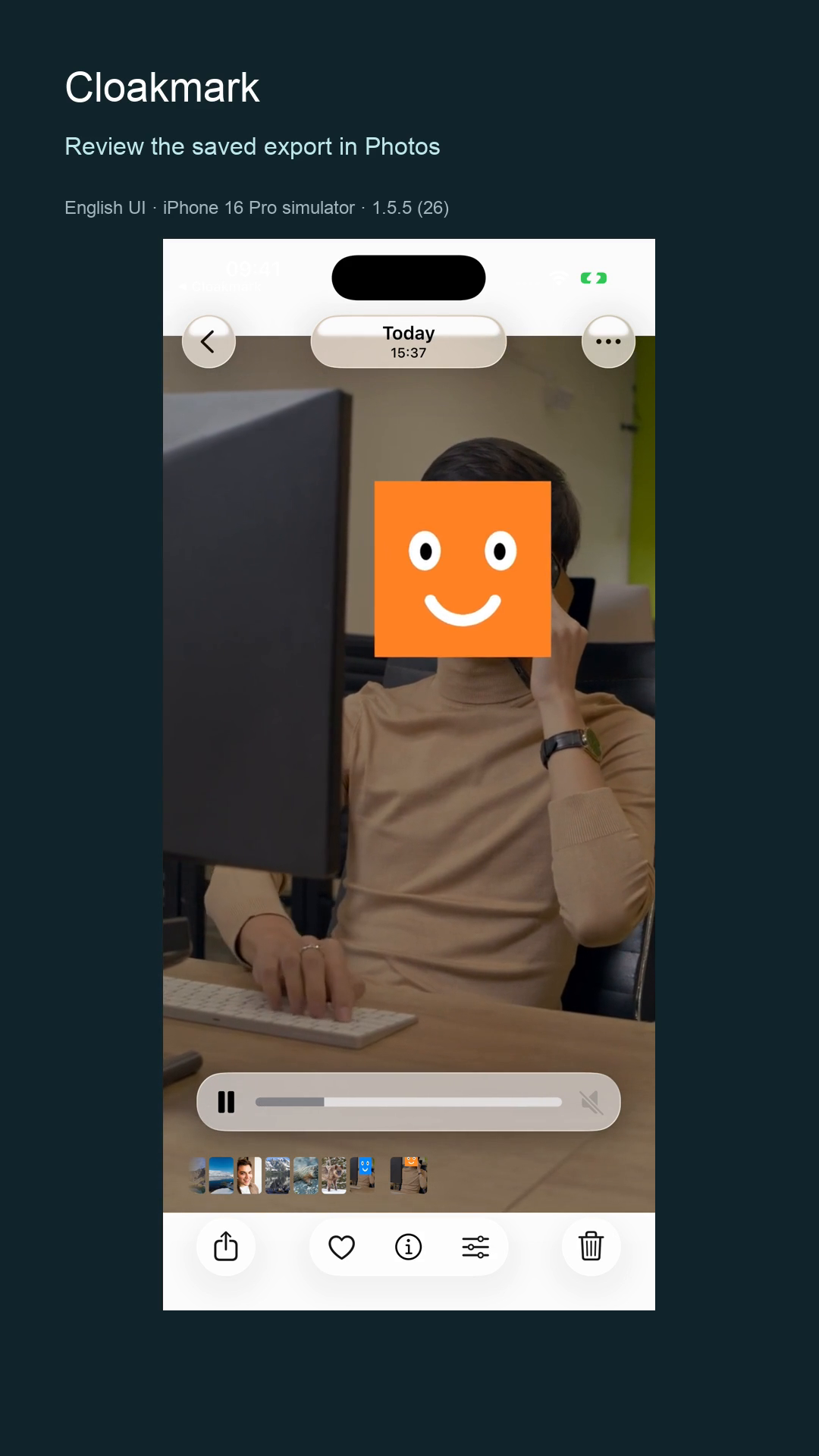
Start with the moving-face result, then see automatic tracking. Media is processed on-device, without an app account. Review the full video and audio before sharing.
English UI · Edited app recording in an iOS simulator, not a physical device. YouTube connects only after you press Play.
Watch on YouTube →Optional one-time upgrade, not a subscription. Open source is not an independent security audit. The earlier 35-second walkthrough is linked in the guide section.
01
Automatic face tracking follows detected faces across frames. Review the entire video: tracking can miss a face or lose coverage. Manual boxes stay fixed during their selected time range.
02
Cover names, contact details and other sensitive fields before sending a screenshot or photo. Review the exported copy, not just the editing preview.
03
Remove text beneath redacted areas in the exported PDF. Check every page, then test search and copying. This is not a complete metadata-sanitization guarantee.
Free each day: 3 photo/video exports combined, plus 3 PDF exports. Free video source files: up to 300 MB.
Optional one-time Pro removes the daily export limits and video size cap, and adds premium stickers. No recurring subscription. Check your local App Store for price.
See the App Store and local price →For one simple static screenshot cover, your existing editing tool may be enough. Cloakmark is for repeated work across moving faces, photos and PDFs, with encrypted local drafts and video audio options. Detection is assistance, not a guarantee: watch and listen to the whole export.
Developer-maintained evidence and demonstrations, not an independent review or security audit.
Yes. Local automatic face tracking is different from a fixed manual box. Check the full exported clip because a face can be missed or lose coverage.
No video text OCR is supported. Use manual covers where appropriate and review every relevant frame. Photo and PDF text workflows are separate.
Content processing stays on the device. Imported files and editing drafts are encrypted locally. Apple purchase and restoration services use a network connection.
No. The public source lets you inspect implementation. It is not an independent security audit or proof that an App Store binary is reproducible from that snapshot.
Free each day: 3 photo/video exports combined, plus 3 PDF exports. Free video source files: up to 300 MB.
Keep the person you want to share visible, cover other faces, and check background clues before posting a group photo. A practical Cloakmark guide.
Optional one-time upgrade. Check the App Store for your current regional price before purchasing.
Before sending an iPhone screen recording to support: check the picture and the audio
A practical checklist for screen recordings: keep the bug visible, cover private fields, review scrolling and notifications, and check the exported audio.
A practical iPhone checklist for marketplace photos: retake cluttered backgrounds, cover private labels, preserve honest condition evidence and check location metadata separately.